
Electronics are the boxes you worry about most, and for good reason. A cracked TV panel or a hard drive that took a knock can cost more than the rest of the move combined. The good news is that a little prep makes them some of the easiest things to protect. In this guide you will learn how to photograph your setup so it goes back together in minutes, how to bag and track every cable and remote, how to pack TVs and computers so they survive the truck, and why your drives and data should never leave your side.
Photograph Every Cable Before You Unplug
Before you touch a single cord, pull out your phone and photograph the back of each device. Get the TV, the router, the game consoles, and the computer tower, close enough to see which cable goes into which port. When you are setting up in the new place, exhausted and surrounded by boxes, those photos turn a puzzle into a five minute job. This one habit saves more headaches than anything else on the list, and it costs you thirty seconds per device.
Bag and Label Cables and Remotes
Loose cords are how things get lost. As you unplug each device, coil its cables and drop them in a labeled zip-top bag: TV cables in one, computer in another. Tape the bag to the device it belongs to, or keep all the bags together in one clearly marked box. Do the same with remotes, power bricks, and the little screws from any wall mount. A sandwich bag and a marker now beats buying replacement cables and a new remote after the move, which never seem to cost as little as you expect.
Use Original Boxes When You Have Them
Nothing protects a device like the box it came in, because the molded foam was designed for that exact shape. If you kept the boxes for your TV, monitor, or console, dig them out and use them. If not, wrap each item in a moving blanket or several inches of bubble wrap, then pack it snugly in a sturdy box with padding on all sides so nothing shifts. Fill every gap. Empty space is where damage happens when the truck hits a pothole on I-66 or 495.
Pack TVs and Computers With Care
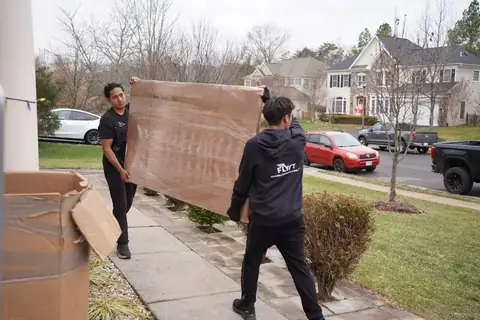
Flat-screen TVs must travel upright, standing on edge like a record, never lying flat, because a flat panel can crack under its own weight over a bumpy drive. A dedicated TV box or plenty of padding on both faces is worth it. For desktops, keep the tower upright and cushioned. For laptops and tablets, treat them like the first-night bag and carry them yourself. Let your crew know which boxes hold electronics so they load them thoughtfully and keep heavy items from stacking on top.
Keep Your Drives and Data With You
Anything holding data you cannot replace should ride in your own car, not on the truck. External hard drives, backup drives, and small computers are easy to tuck into a bag and keep at your side. Back up your important files before moving day too, so even in a worst case the data is safe in the cloud or on a second drive. Our crews are background-checked and careful, but the simplest way to protect irreplaceable photos and documents is to never let them out of your sight.